How to Match Team Skills to Project Requirements

Most project teams do not fail because the skills are missing. They fail because nobody matched the skills in the room against what the work actually asked for. A developer with deep technical ability but no interest in explaining decisions will struggle on a client-facing build. A strong communicator without the domain knowledge will slow a delivery team down. Matching team skills to project requirements is a discipline rather than a gut feel, and it works best when the requirements are written down before anyone's name lands in the plan.
The process below is deliberately unglamorous. It is also the difference between a team that starts delivering in week one and a team that spends a month discovering it was assembled for the wrong project.
Start with the work, not the people
Before you open a resourcing plan, write the work down. Break the project into deliverables, then translate each deliverable into the capabilities required to produce it. A migration needs someone who has run a migration. A discovery phase needs someone who can hold a room and ask good questions. A detailed, regulated deliverable needs someone who reads carefully and does not skim.
Separate must-haves from nice-to-haves at this stage. If every requirement is critical, nothing is, and the shortlist quietly becomes whoever happens to be free rather than whoever fits. Two or three genuine must-haves per role keeps the search honest and gives you something to defend if the plan is challenged.
Good project team members tend to share a baseline set of capabilities: communication, technical competence, problem solving and teamwork. Those deserve to be named as requirements in their own right, because they affect who can work with whom, not just who can complete a task. Project managers carry a similar burden. Being able to express ideas clearly and persuade people towards a decision is not a soft extra, it is part of how delivery actually moves.
Build a skills inventory people actually trust
Ask each person to record their skills, the level they work at, when they last used them, and what evidence exists. Evidence matters. Someone who delivered a reporting build last quarter is a safer bet than someone who studied reporting three years ago and has not touched it since.
Use a shared scale rather than vague labels. Something like awareness, working, strong and able to teach gives a resource manager a real filter to apply. Keep that scale consistent across the organisation, and review it on a schedule, because skills that are recorded once and never revisited are worse than no record at all. People will make decisions on stale data and believe they are being rigorous.
Record the soft skills too. Distributed teams have made digital communication, self-management, emotional intelligence and collaboration more important to track, not less. These are the qualities that determine whether a well-matched person settles into a team or quietly destabilises it.
The soft skills worth recording against each person
-
Organisation and planning: sequencing work and spotting dependencies early
-
Problem solving: working through a blocker instead of escalating it immediately
-
Communication: explaining a decision simply and clearly
-
Listening: taking on feedback without treating it as an attack
-
Time management: estimating realistically and flagging slippage before it lands
-
Critical thinking: questioning an assumption that does not hold up
-
Collaboration: working across roles without needing to be chased
-
Support skills: helping colleagues who are stuck without making it a performance
None of these replace the technical requirement. They decide how quickly someone becomes useful once the technical requirement is met, and how much management attention they will absorb along the way.
Score the match instead of eyeballing it
A simple scoring model beats a confident opinion. For each candidate, score skill fit, availability fit and team fit, then talk through the outliers. The person who scores highest on skills but lowest on availability is not the answer, they are a scheduling risk with a good resume.

Check availability before you fall for the shortlist
Skill fit without capacity is a scheduling problem waiting to happen. Once you have a shortlist, put utilisation and current allocations next to it. A person at capacity across three other projects is not available, they are simply familiar, and adding them creates overallocation that shows up later as missed dates or burnout.
This is where shared resource pools get difficult. When ten people could plausibly do the work but six of them are already committed, the decision is not about skill at all. Filtering by skill, team, role and availability at the same time stops a manager from committing someone who will need to be rescued in a fortnight.
Where spreadsheets stop working
Skill matrices kept in a spreadsheet go stale the moment a project ends. Allocation data lives somewhere else, usually with the PMO coordinator, and the two records disagree. Project managers then do what any sensible person does under pressure: they ask around, trust the person they spoke to most recently, and move on.
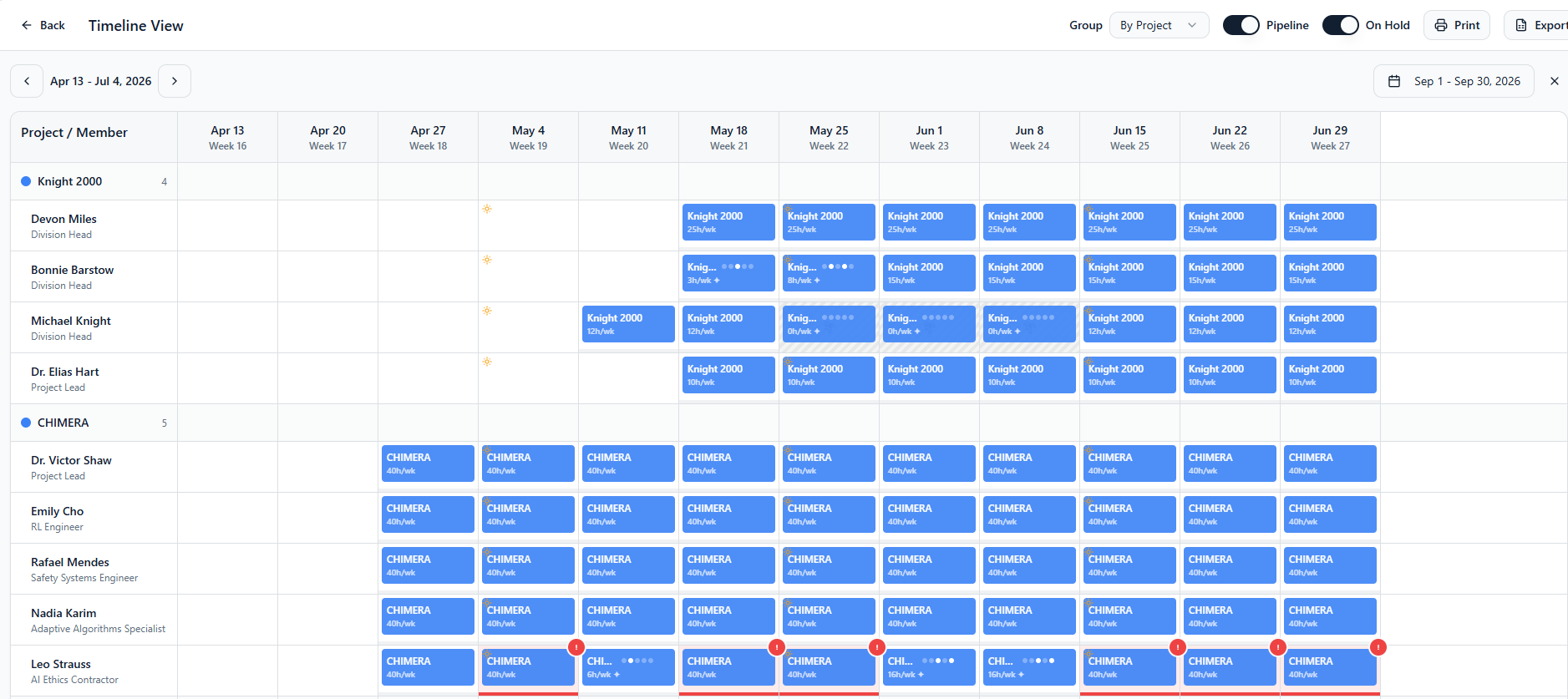
A resource management platform keeps allocation, utilisation and skills in the same place, so a shortlist reflects both capability and capacity. Avai-lability provides skills matching and filtering by skill, team, role and availability, alongside capacity planning that flags overallocation before it becomes a delivery problem. Its AI Resource Assistant answers natural-language questions about availability, skills and allocations, so a project manager can check who is free and suitably skilled without waiting on a coordinator or reconciling two spreadsheets. Role-based access control across Owner, Admin, Manager, Member and Viewer roles keeps that visibility appropriate to each person's responsibilities.

Run the match as a repeatable process
-
Write the requirement list and mark the must-haves.
-
Translate each requirement into skills on the same taxonomy the organisation uses everywhere else.
-
Filter the resource pool by skill and role to produce a long list.
-
Layer availability on top, removing anyone already committed.
-
Check evidence for the top candidates, including a peer reference for collaboration.
-
Review the mix across the whole team, not each role in isolation.
That last step matters more than it looks. A team of individually strong people who all want to lead will stall, and a team of specialists with no one to coordinate them will drift. Match the requirements, then check the shape of the group you have built.
Mistakes that distort the match
-
Matching to the loudest CV rather than the closest evidence
-
Treating availability as a detail to sort out after the selection
-
Using soft skills as a tiebreaker instead of a requirement
-
Reassembling the last project team because it worked once
-
Skipping the debrief, so nobody learns where the match was wrong
Each of these shortcuts saves an hour at planning and costs days in delivery. The debrief is the cheapest correction available, because it updates the skills record with what actually happened on the project rather than what everyone assumed at the start.
Close small gaps deliberately
Sometimes the match is close but not exact, and the sensible answer is to develop the gap rather than hire around it. Team building activities have a role here beyond morale. Escape room challenges, team cooking competitions, role reversal exercises, scavenger hunts and DIY workshops all create situations where professional skills get practised under mild pressure. Role reversal is particularly useful when you want someone to understand a colleague's constraints before the next project starts.
Pair the development with a clear expectation. If a team member is being matched to a project one skill level below the requirement, agree what support looks like and who is accountable for it. That is a much better use of a skills inventory than treating it as a permanent record of what people cannot do.

Measure whether the match worked
After delivery, ask three questions. Did the work land without heroics? Where were the handoffs slowest? Who needed rescuing, and why? The answers tell you which skill requirements you got right, which soft skills you underestimated, and where the inventory needs updating.
Feed those findings back into the record while the project is still fresh. Matching skills to projects improves through repetition and honest data, not through a better template.
Frequently Asked Questions
How do I match team skills to project requirements quickly?
Write the must-have requirements first, translate them into the skills your organisation already tracks, then filter by skill, role and availability in one pass. Speed comes from having clean data, not from skipping steps. If your skills records are current, a shortlist takes minutes rather than a morning of asking around.
What if nobody on the team has the skill the project needs?
Decide whether the gap is a hire, a contractor, a training investment or a change to scope. Name the gap explicitly in the plan rather than hoping someone picks it up. A known gap with an owner is manageable. An unnamed gap usually surfaces as a missed milestone and a difficult conversation later.
Should soft skills count in a skills match?
Yes, particularly for distributed and client-facing work. Digital communication, self-management, emotional intelligence and collaboration shape how quickly someone becomes productive inside a team. Treat them as requirements with evidence rather than as personality notes, and check them with a peer as well as a manager where you can.
How often should skills data be updated?
Update individual records after each project, since that is when evidence is clearest and people are most honest about what they learned. Review the overall taxonomy less often, perhaps once or twice a year, so the categories stay useful without changing so frequently that nobody trusts them.
Can AI help match people to projects?
It can when the underlying allocation and skills data is reliable. Conversational querying lets a project manager ask who is available with a particular skill without waiting on a coordinator or rebuilding a spreadsheet. The output is only as good as the records behind it, so data quality remains the real constraint.