How AI Can Surface Team Availability Without Spreadsheets

Most delivery teams already hold the answer to "who is free next week". It sits somewhere between a timesheet export, a project plan, a resource spreadsheet and the memory of whoever runs the PMO. The information exists. Retrieving it is the slow part, and every day spent retrieving it is a day a project sits waiting for a decision.
AI changes the retrieval layer rather than the underlying data. Team availability software built around conversational querying lets a project manager ask a plain-language question and get a structured answer, without emailing three people or waiting for a coordinator to rebuild a spreadsheet. That shift sounds small. In practice it moves availability from a periodic report to an everyday tool.
Why team availability hides in the first place
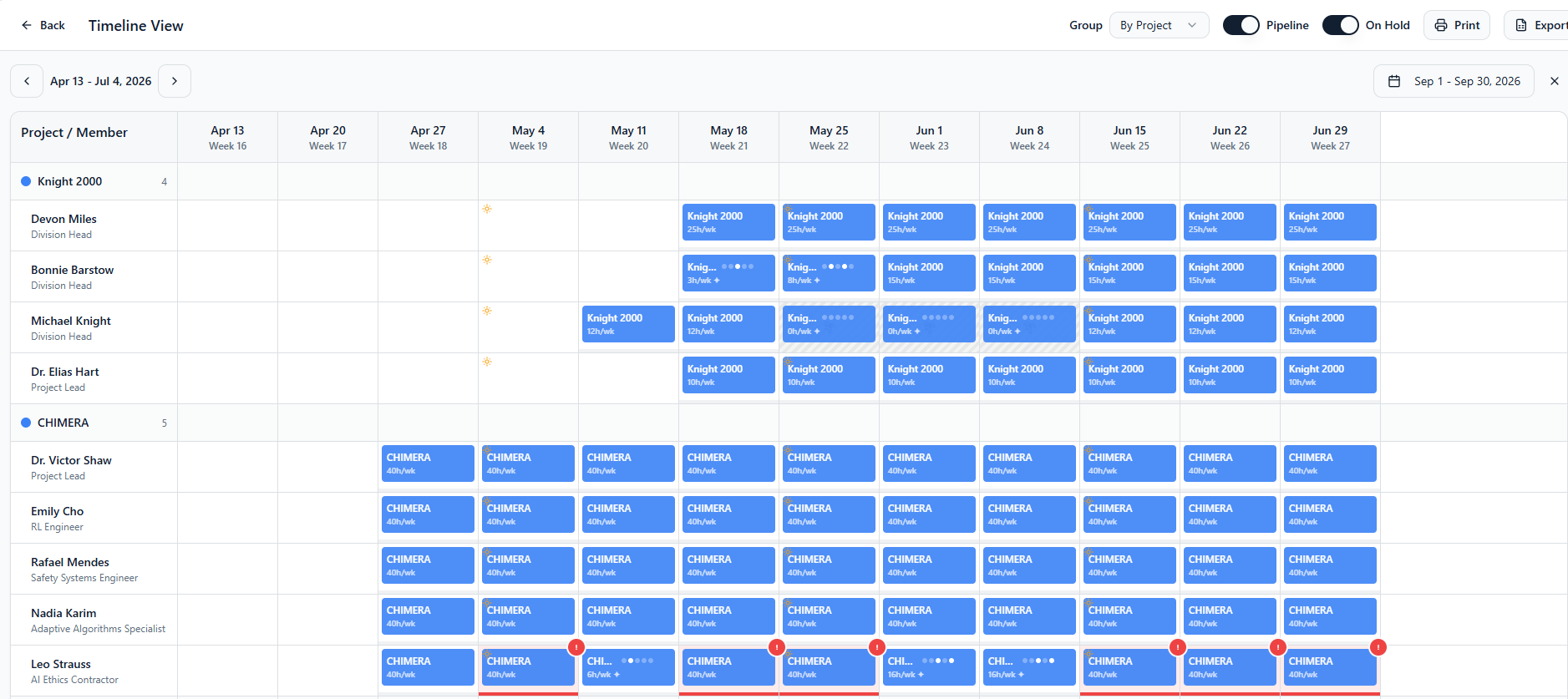
Availability is rarely a single number. A designer might be booked at half capacity on two projects, holding a soft booking for a third, and covering a support roster that never appears in the project plan. Multiply that across a shared resource pool and the picture becomes genuinely difficult to hold in your head.
Three things tend to obscure availability:
- Data lives in separate systems, so allocations, timesheets and project plans never quite agree.
- Partial and soft bookings are easy to miss, which makes people look freer than they are.
- Non-billable work such as internal projects and support quietly consumes capacity without appearing in delivery reporting.
Meeting schedulers are a useful contrast here. Tools such as Calendly, Doodle and Timeful solve a narrow question well: finding a time when a group can meet. They read calendars, not workloads. They cannot tell you whether the person has room to take on a six-week engagement, because that answer lives in allocation data rather than in a diary.
What AI actually does with availability data
An AI resource assistant does not invent capacity. It reads the allocations, utilisation and skills information already stored in the platform, then answers questions about it in natural language. The value is in the translation layer between a manager's question and the database record that holds the answer.
Questions that become practical rather than aspirational include:
- Who in the consulting team has room to take on a new client next month?
- Which developers are available part-time and have experience with a particular skill?
- Who is currently overallocated, and on which projects?
- If this project moves two weeks, who frees up first?
The response comes back as a filtered list with context, not a raw data dump. That matters because a manager usually needs a shortlist to act on, not a full export to interpret.
The AI project assistant as a daily habit
The most useful place for an AI project assistant is not the quarterly capacity review. It is the ordinary rhythm of delivery: the Monday morning stand-up, the scoping call with a client, the moment a project slips and resources need to be rebalanced.
Consider how those moments usually play out. A project manager notices a gap, messages the resource manager, waits for a response, then discovers the person they had in mind is already committed elsewhere. With conversational querying, the same manager checks availability directly and moves on to the actual decision. The resource manager stays in the loop for judgement calls rather than acting as a human search engine.
This is the practical benefit Avai-lability is built around: project managers can check availability and skills without waiting on PMO coordinators or spreadsheets, while the underlying allocation data stays in one place.

Skills and availability belong together
Availability without skills is only half an answer. Knowing three people have capacity is not useful if none of them can do the work. That is why skills matching and filtering by skill, team, role and availability tend to sit inside the same platform rather than in a separate directory.
A good query combines both dimensions. Instead of asking who is free, a manager asks who is free and has the right background. The shortlist that comes back is immediately usable for a staffing conversation, and the reasoning is visible enough to defend if someone asks why a particular person was proposed.
Spotting overallocation before it becomes burnout
Surfacing availability also means surfacing the opposite: the people who have too little of it. Capacity planning and utilisation forecasting let a resource manager see where bookings exceed realistic capacity, rather than discovering the problem when someone resigns or a deliverable slips.
AI helps here by making the signal conversational and repeatable. A manager can ask which team members are overallocated this month and get a list, then ask a follow-up about a specific project. Over time, those small checks build a habit of catching pressure early instead of reviewing it after the fact.

Meeting schedulers versus team availability software
The two categories are often confused because both involve calendars and both promise to reduce back-and-forth. They answer different questions, and most organisations need the second far more than they realise.
| Question being asked | Meeting scheduling tool | Team availability software |
|---|---|---|
| When can these people meet? | Yes, this is the core purpose | Not the primary focus |
| Who has capacity for a new project next month? | No, calendars do not show workload | Yes, based on allocations and utilisation |
| Who has the right skills for this brief? | Limited or not supported | Yes, through skills matching and filters |
| How much of a person's week is already committed? | No, a booked calendar is not a full picture | Yes, including partial and non-billable work |
| Where is the team overallocated? | No | Yes, through capacity and utilisation forecasting |
A group poll or booking page is a fine tool for arranging a meeting. It is not a resource plan, and treating it as one is how teams end up double-booking their most senior people.
Permissions and trust in an AI-powered view
Availability data is commercially sensitive. It reveals who is busy, which projects are funded, and how profitable the work is. Role-based access control matters because not everyone needs the same view. A structure with Owner, Admin, Manager, Member and Viewer roles lets an organisation decide who can query everything, who can adjust allocations, and who should see only their own commitments.
Trust also depends on transparency. An AI assistant that answers questions about people should show its workings clearly enough that a manager can verify the answer against the allocation record. When the assistant is reading a single source of truth, that verification is straightforward.
What to look for in team availability software
The market contains plenty of dashboards and very few tools that answer a question quickly. Use these criteria to separate them:
- Conversational querying, so managers can ask in plain language rather than build a report.
- A single source of truth for allocations, including partial and soft bookings.
- Skills matching that filters by skill, team, role and availability together.
- Capacity planning and utilisation forecasting that flag overallocation.
- Revenue and budget tracking that separates billable from non-billable work.
- Role-based access control suited to managers, members and viewers.
- A pricing model that scales per resource rather than per seat, which suits shared resource pools.
Per-resource pricing is worth checking carefully. Teams that share people across projects often find per-resource plans map more cleanly to how they actually work.

Rolling it out without disrupting delivery
Adoption rarely fails because the software is wrong. It fails because the data going in is inconsistent. Start with one team or one resource pool, agree what counts as a booking, and make sure partial allocations are recorded properly before switching on conversational queries.
Then give people a reason to ask. The first few questions should be ones the team already asks every week, such as who is available for a new engagement or who is carrying too much. When the assistant answers faster than the old process, the habit forms on its own. Resource managers keep the judgement calls, project managers get direct access, and the spreadsheet chase fades out of the working week.
Frequently Asked Questions
Can AI tell me who is available next week?
Yes, provided the assistant is connected to current allocation and utilisation data. It reads existing bookings and returns a shortlist of people with capacity, along with context such as their skills and current projects. The answer is only as good as the underlying records, so partial and soft bookings need to be captured accurately.
Does AI replace my resource manager or PMO?
No. It removes the repetitive lookup work that consumes their day. Judgement about prioritisation, trade-offs and difficult staffing conversations still belongs to people. An AI resource assistant handles the retrieval, so a resource manager can spend more time on decisions and less time rebuilding spreadsheets for every incoming request.
How is team availability software different from a shared calendar?
A shared calendar shows when people are in meetings. Availability software shows how much of their working capacity is already committed across projects, including partial allocations and non-billable work. Those are different questions, and a calendar cannot answer the second one no matter how carefully it is maintained.
What data does availability software need to work well?
It needs current project allocations, utilisation or timesheet data, skills information for each person, and a clear record of billable versus non-billable work. Role-based permissions should also be configured so people see the right level of detail. Inconsistent or stale records are the most common reason answers feel unreliable.
Is per-resource pricing normal for this kind of software?
It is a common model for resource management platforms, because value scales with the number of people being planned rather than the number of logins. Organisations with large shared resource pools should check how the plan handles viewers and occasional users before committing to a tier.